Kingshot Bot Setup Guide - 60-Second Install
Setting up Kingshot Bot takes under 60 seconds: download the installer, log in with Google or Facebook, select your tasks, press start. This guide covers the full process - no config files, no command line, no emulator required. 1,000+ active users, rated 4.9/5 across 500 reviews - most set up in a single session.
Download and start freeHow to set up a Kingshot bot (step-by-step for beginners)
Download the installer
Get the latest version from the download page. The installer is a single .exe - no dependencies, no .NET framework required.
Run and log in
Launch the installer and sign in with your Google or Facebook account - the same one linked to your Kingshot game account.
Configure your tasks
Select which tasks to automate. Recommended first session: resource gathering, troop training, and hospital healing. You can expand later.
Press start
The bot begins immediately. Minimize the window or lock your PC - it runs as a background process. Check the event log to verify it's working.
For the full list of what each task does, see the automation overview. If you were previously using an emulator, no emulator is required - Kingshot Bot uses 256 MB per account regardless of how many you run.
See It In Action
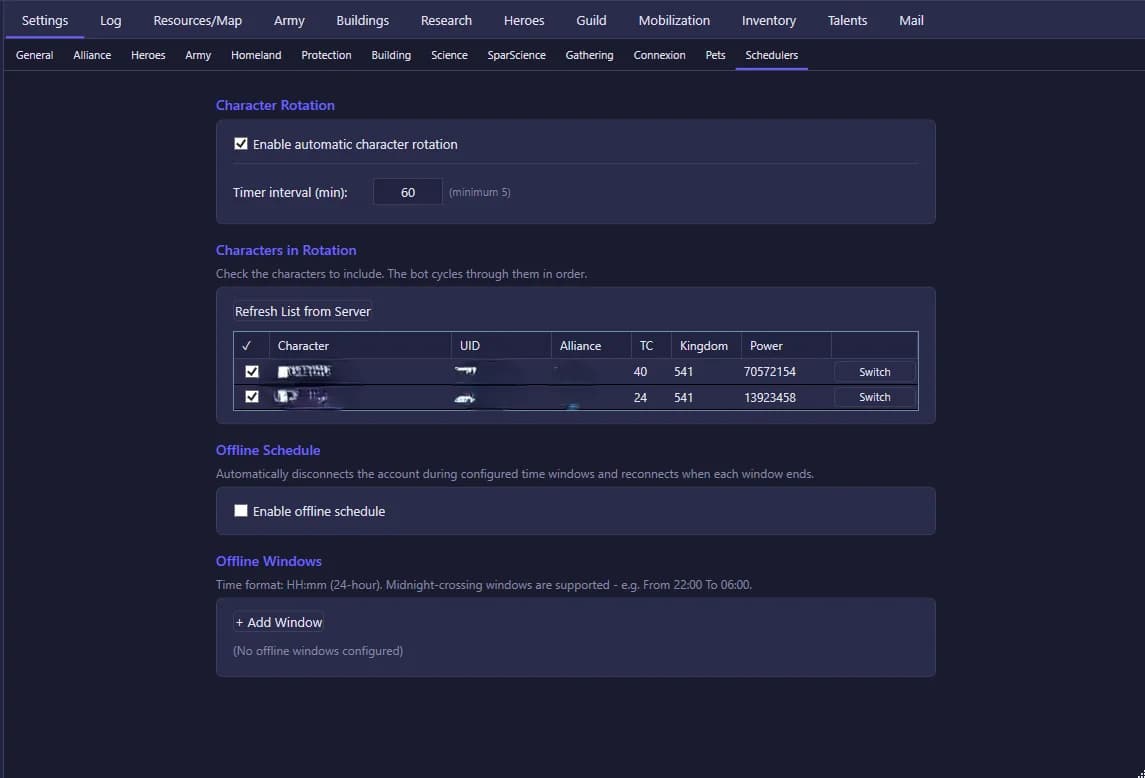
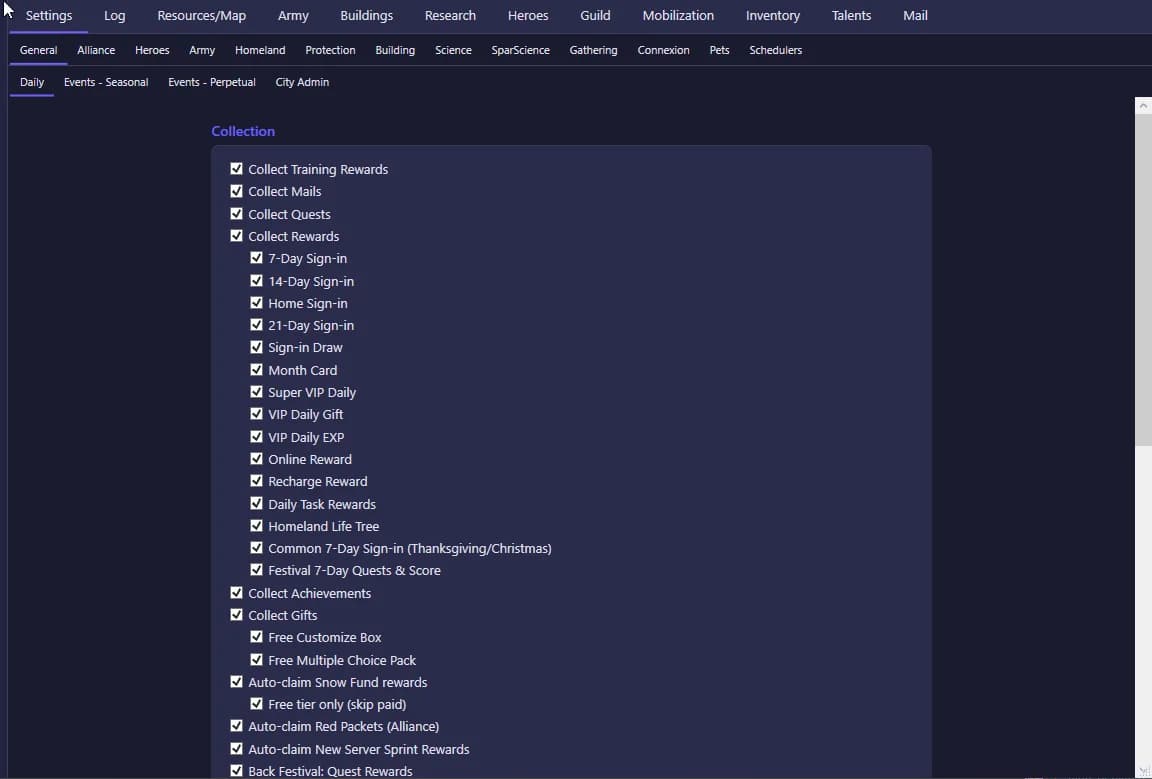
How to run multiple Kingshot accounts with one bot
After completing the initial setup on your first account, open the account panel and click "Add Account". Log in with the credentials for the second account. Each account is independent - configure its own task priorities, schedule windows, and resource targets separately.
The Basic plan supports 2 accounts; the Full plan supports 5. No emulator per account is needed - all accounts run from the same Kingshot Bot process using under 256 MB RAM each.
Best Kingshot bot settings for resource farming
For maximum resource output: enable gathering on all available marches, set march priority to highest-level resource tiles your troops can reach, enable hospital auto-heal with a threshold of 20% capacity, and keep training queues filled with your current highest-tier unit. Before your first session, review what reduces detection exposure - the setup guide applies these recommendations by default.
Common Kingshot bot setup mistakes to avoid
- Starting on your main account. Test on a farm account first. If something goes wrong, you lose less.
- Running 24/7 from day one. Build up coverage gradually. Sudden behavior changes on accounts with no automation history are more detectable.
- Ignoring the event log. Check it after setup - the event log shows exactly what the bot did and catches configuration issues early.
Three Ways People Use This Guide
First-time users
Follow the guide top to bottom. Takes under 60 seconds. You do not need prior automation experience - there are no config files to edit.
Switching from emulator bots
Uninstall BlueStacks, run the Kingshot Bot installer. Your new setup will use about 10× less RAM and start in under 5 seconds instead of 60-90.
Multi-account farmers
Complete the single-account setup first, then use the account panel to add up to 4 more. Each account is independent - configure task priorities separately.
What Kingshot Bot Doesn't Do
- Windows 10/11 only - Mac and Linux are not supported.
- Some advanced task configurations require reading the settings documentation - the defaults cover most use cases but not all.
- No mobile management interface - configuration is done through the Windows desktop app.
If you need Mac support, emulator-based alternatives like BlueStacks-based bots are the only currently known option for Kingshot automation on Apple hardware.
Frequently asked questions
Continue reading
Full automation overview
Everything the bot automates - 48+ tasks explained.
No emulator required
Why you don't need BlueStacks and what that means in practice.
Is Kingshot Bot safe?
Detection risk and what to configure before your first session.
See pricing
Free (2 hours) + Basic (€9.99/mo) + Full (€24.99/mo).