Kingshot Automation Bot - No BlueStacks Needed
Yes, you can fully automate Kingshot without installing any emulator. Kingshot Bot communicates directly with game servers using the same protocol as the official client - no BlueStacks, LDPlayer, or screen recording required. Over 1,000 players use it daily, rated 4.9/5 across 500 reviews.
Try free - 2 hours, no card requiredCan you automate Kingshot without emulator setup?
Most Kingshot automation tools rely on BlueStacks or another Android emulator to display the game on your PC and then control it through screen recognition or input injection. That approach requires 2-4 GB RAM per account, a dedicated GPU, and a separate emulator install for every account you want to run.
Kingshot Bot takes a different approach: it speaks directly to the game's server protocol, the same way the official mobile client does. The game never renders on screen. Your PC handles only the bot logic - under 256 MB RAM and less than 5% CPU even across 5 accounts simultaneously. If you are currently using an emulator, see why you may not need one.
What can be fully automated in Kingshot?
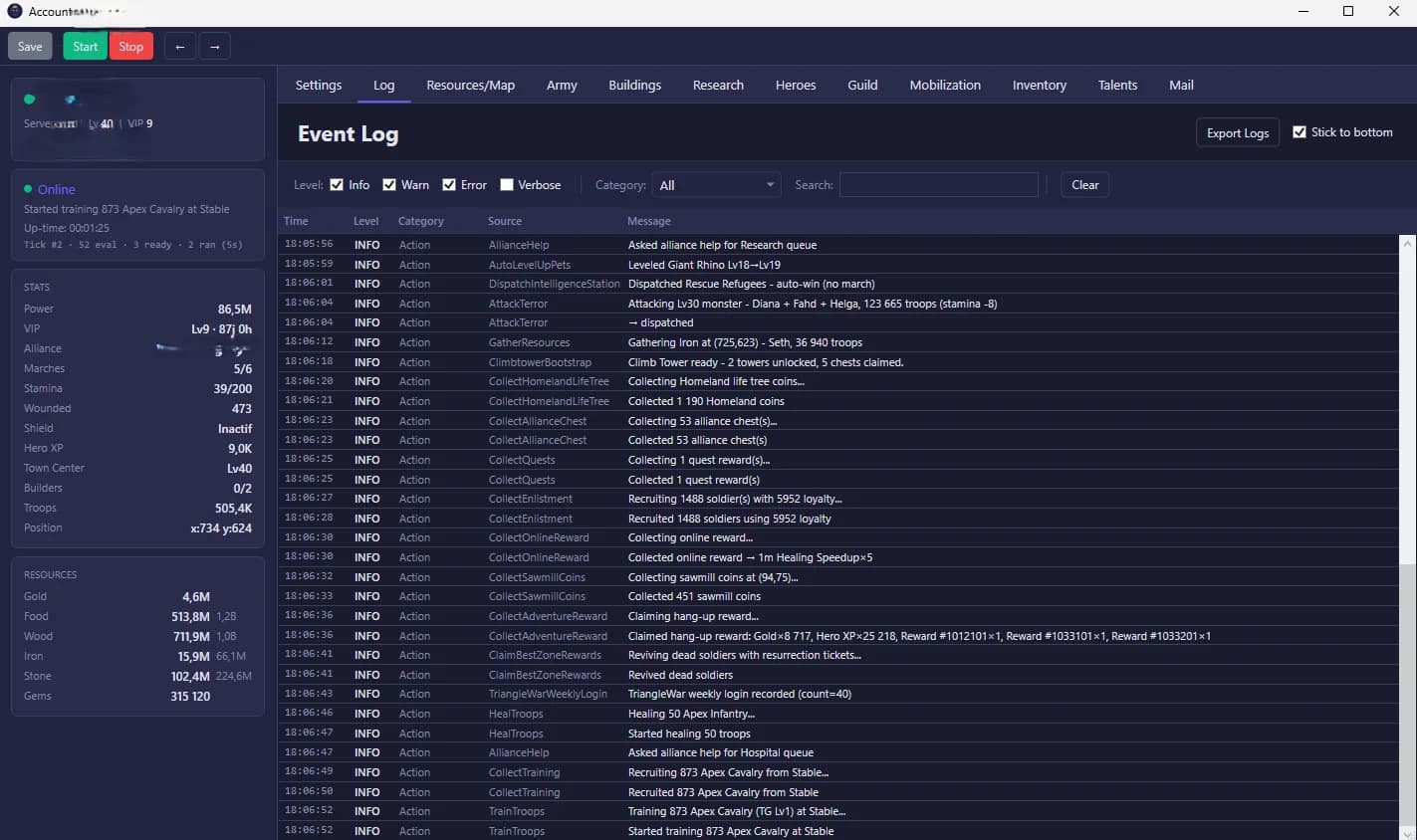
48+ in-game tasks run automatically, including the entire daily routine and most timed events. The bot handles full queues, pop-ups, and UI state changes without getting stuck - something scripts and emulator-based tools frequently fail on. Before automating your main account, review what triggers detection and how to configure the bot to minimize exposure.
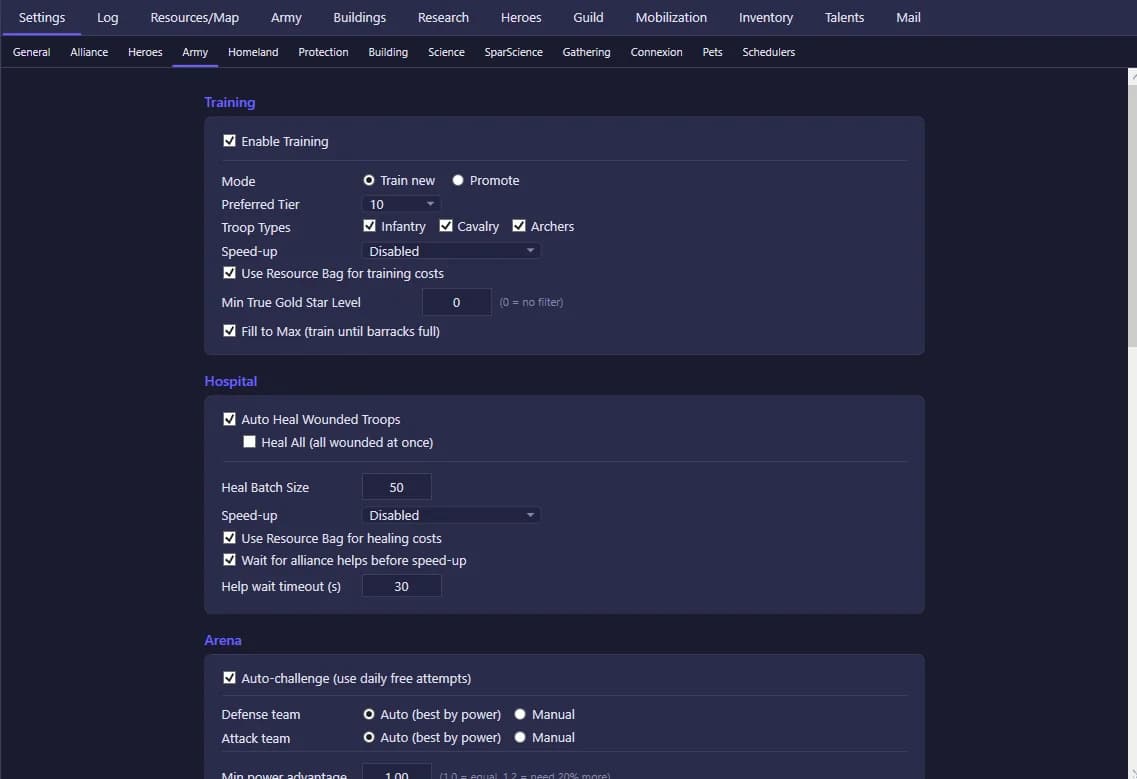
- Troop training & upgrades
- Building construction & upgrades
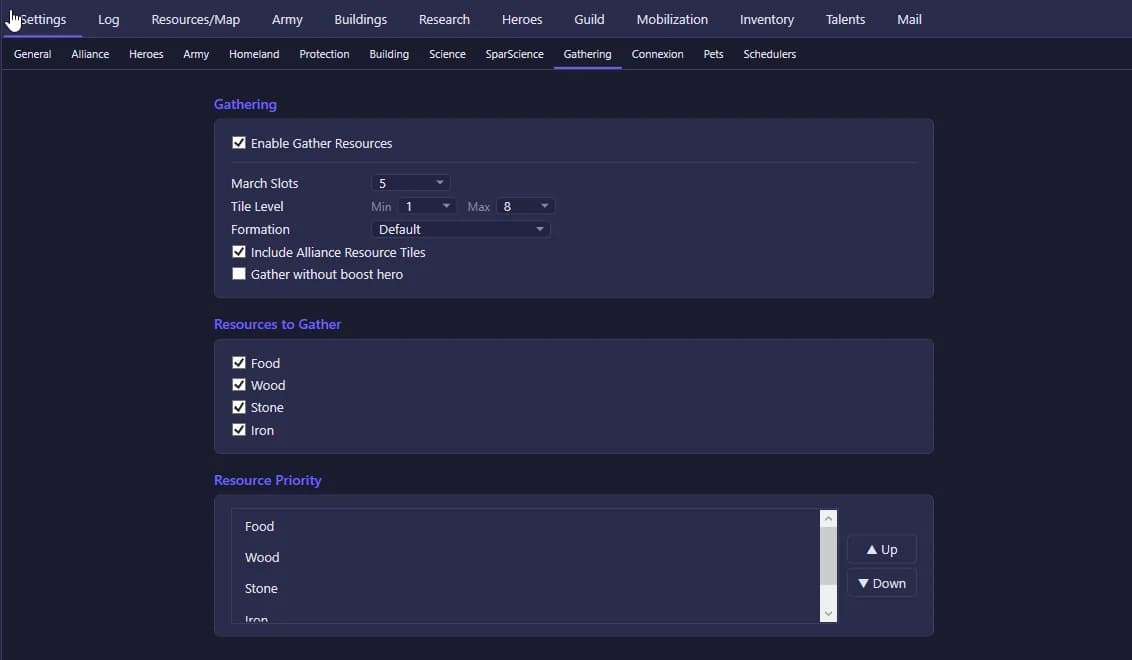
- Resource gathering (farms, quarries, mills)
- Hospital healing
- Daily quests & rewards
- Alliance events participation
- Bear Trap events
- Mercenary recruitment
- Research queue management
- VIP point collection
- Chest opening
- Black Market purchases
The setup guide walks through the full process in under 60 seconds, including logging in with Google or Facebook.
See It In Action
Who Uses Kingshot Bot?
Casual players
Automate daily quests, resource runs, and hospital healing. Spend actual play time on strategy and events instead of repetitive clicks.
Competitive players
Never miss Bear Trap, Mercenary, or Alliance War events. Training queues stay full 24/7 without watching the screen.
Multi-account farmers
Run 5 accounts from one lightweight app - under 5% CPU, 256 MB per account. No separate PCs, no emulator stack.
What Kingshot Bot Doesn't Do
- World map combat (attacking players, scouting enemies) is not currently automated - these actions require human judgement calls.
- Mac and Linux are not supported - the bot runs on Windows 10 and 11 only.
- Mobile management interface is not available - configuration and monitoring is done through the Windows desktop app.
If world map automation or cross-platform support matter for your use case, alternatives include emulator-based tools that offer broader OS support.
Frequently asked questions
Continue reading
Kingshot Bot overview
Everything the bot does - features, plans, and how it works.
Setup guide - 60-second install
Step-by-step walkthrough from download to first automated task.
Is Kingshot Bot safe?
Detection risk analysis and configuration tips.
Kingshot emulator vs no-emulator
Why most emulator-based bots are slower and harder to run.
See pricing
Free tier (2 hours) + Basic (€9.99/mo) + Full (€24.99/mo).